
An Internal Knowledge System with AI
Do you want colleagues to get quick answers to questions about products, policies, IT, processes, or customers? Then an internal knowledge system with its own chatbot is ideal. Thanks to Retrieval-Augmented Generation (RAG) such a system is smarter than ever: employees ask questions in plain language and the chatbot searches directly in your own documentation. This can be completely secure, without leaking data to external parties – even when you use large language models from OpenAI or Google.
- Is the answer always consistent with internal reality
- No fabrications are given (as sometimes with pure LLMs)
- Confidential data is never shared with the outside world
Which tools can you use?
Setting up your own knowledge system can be done with various products, depending on your preferences and requirements for privacy, scalability, and ease of use.
Chatbot and RAG frameworks
- LlamaIndex (llamaindex.ai) – Open source, widely applicable
- Haystack (haystack.deepset.ai) – Strong in enterprise search
- LangChain (langchain.com) – Powerful for integrations and custom solutions
- OpenWebUI (open-webui.github.io) – Simple, modern web interface for chat and management
Vector databases (for document storage and fast search)
- ChromaDB (trychroma.com)
- Weaviate (weaviate.io)
- Qdrant (qdrant.tech)
AI models
- Large models in the cloud
- Own models (on-premises or private cloud)
Important:
Many tools, including OpenWebUI and LlamaIndex, can connect both local (on-premises) and cloud models. Your documents and queries never leave your own infrastructure, unless you want them to!
How to easily add documents
Most modern knowledge systems offer a simple upload or synchronization feature.
It works, for example, like this:
- Upload your documents (PDF, Word, txt, e‑mails, wiki pages) via the web interface (such as OpenWebUI)
- Automatic processing: The tool indexes your document and makes it instantly searchable for the chatbot
- Live updating: Add a new file? Then it is usually incorporated into the answers within seconds or minutes
For advanced users:
Automatic integrations with SharePoint, Google Drive, Dropbox, or a file server are easily possible with LlamaIndex or Haystack.
Data remains safe and internal
Whether you choose your own models or large cloud models:
- You decide yourself what does and does not go out
- Integration with Single Sign-On and access management is available by default
- Audit trails: who has consulted what?
For sensitive information it is advisable to use AI models on-premises or within a private cloud. But even if you deploy GPT-4 or Gemini, you can configure that your documents are never used as training data or permanently stored by the provider.
Example of a modern setup
With OpenWebUI you can easily build a secure, internal knowledge system where employees can ask questions to specialized chatbots. You can upload documents, organize them by category, and let different chatbots act as experts in their own fields. Read on to learn how!
1. Add and categorize content
Uploading documents
- Log in to OpenWebUI via your browser.
- Go to the section Documents or Knowledge Base.
- Click on Upload and select your files (PDF, Word, text, etc).
- Tip: When uploading, add a category or label, such as “HR”, “Technology”, “Sales”, “Policy”, etc.
Benefit: By categorizing, the appropriate chatbot (expert) can focus on relevant sources and you always receive a suitable answer.
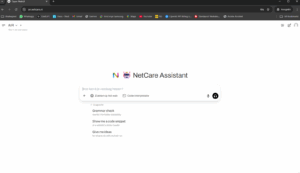
2. Chatbots with their own specializations (roles)
OpenWebUI makes it possible to create multiple chatbots, each with its own specialty or role. Examples:
- HR Bot: Questions about leave, contracts, employment conditions.
- IT Support: Help with passwords, applications, hardware.
- PolicyBot: Answers about corporate policy and compliance.
- SalesCoach: Information about products, prices and quotes.
Start right away or prefer help?
Do you want to quickly run a proof-of-concept? For example, OpenWebUI and with LlamaIndex you can often have an online demo in one afternoon!
Do you want to set it up professionally, connect it to your existing IT, or does it need to be truly secure?
NetCare helps at every step: from selection assistance to implementation, integration, and training.
Take contact Sign up for a non‑binding advisory conversation or demo.
NetCare – Your guide to AI, knowledge and digital security


